
You will complete a short video interview as part of your Bootcamp Application. You will access the video interview through your application dashboard and will complete the interview via Jobma.com. You will be able to complete a practice video first if you wish.
Please Note: The language of instruction for MIT Bootcamps is English, and your video interview must also be completed in English.
When you begin the interview, your first interview question will appear within a white bar located under your image on the screen. You will be given 1 minute to think about your answer to this question. You will see a timer counting down. When your 1 minute to think has ended, you will be informed that your interview will begin and given a countdown of 3 seconds. Then your interview will start recording. You will have 2 minutes to give your answer to the question. After 2 minutes, your video will automatically stop recording and the next question will appear. There will be ten questions and for each question, you will have one minute to think about your answer and two minutes to answer.
You will have only one opportunity to record your video interview. We understand that the video interview is a unique challenge. Our video interview process is designed to display your ability to communicate in the moment. We want to get to know you! We do not expect video interviews to be perfect or polished. For this reason and due to the nature of the platform, you are not able to re-record your video interview after it has been submitted. If you experience a severe technical issue or emergency please let us know at bootcamps-support@mit.edu.
Please see below for more detailed instructions with screenshots if needed.
- When you are ready to complete your video interview, click "Take Video Interview" in the "Video Interview" section of your Bootcamps Dashboard. Then click "Take Interview at jobma.com" in the sidebar that appears.
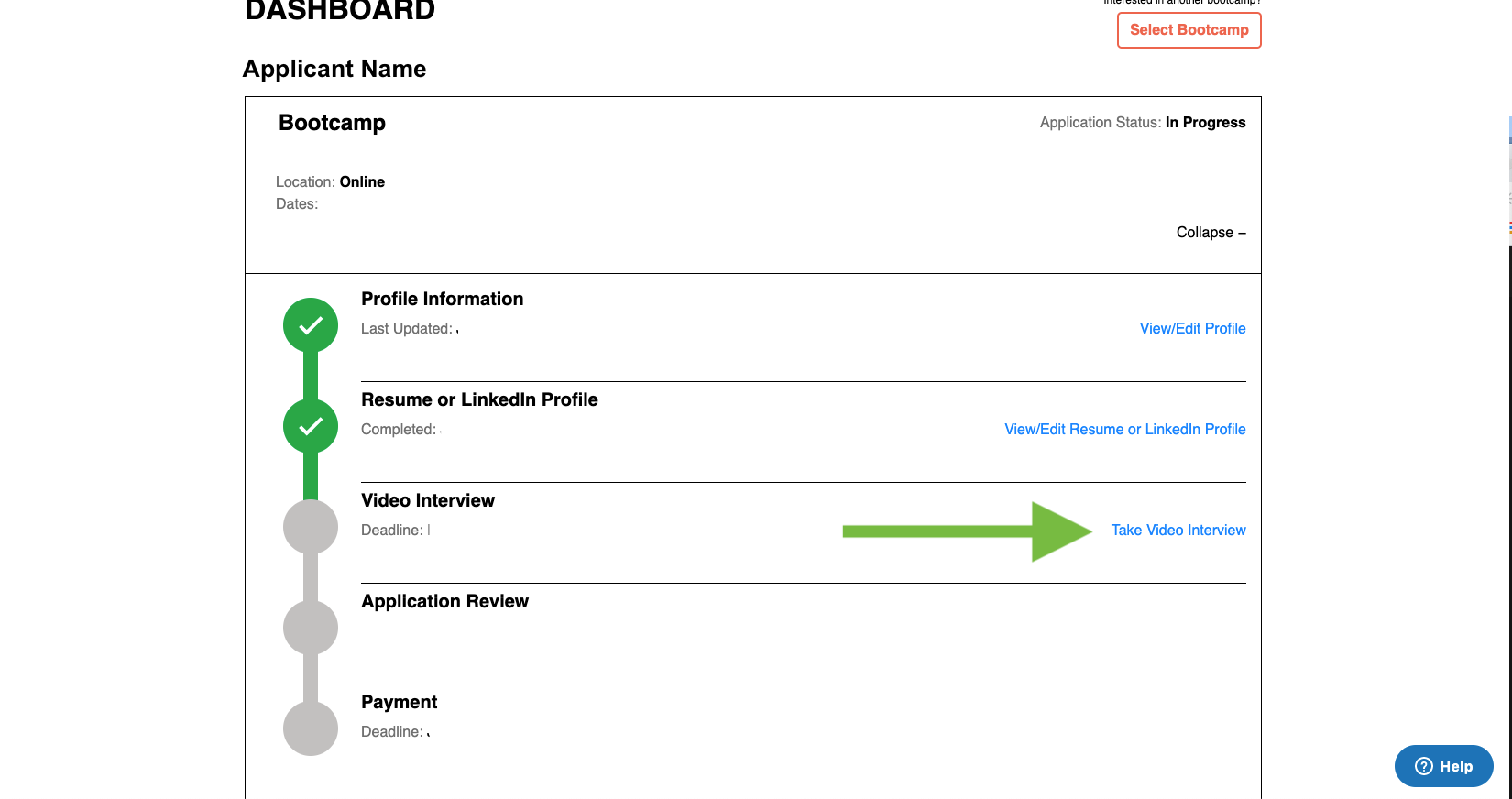
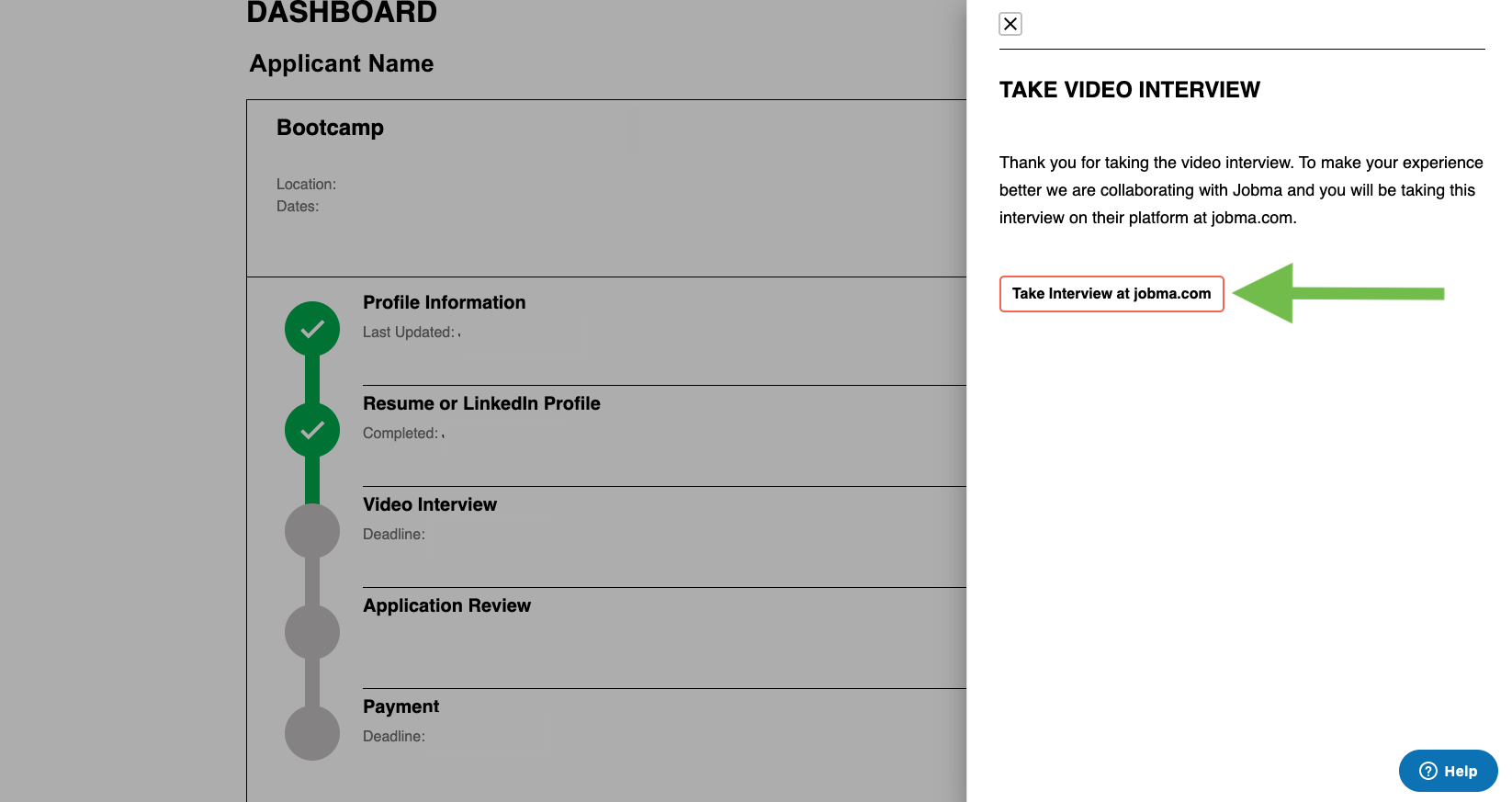
- You will be taken to Jobma.com, where you will record your interview. Your camera and microphone will be tested. Your web browser may show a window where you will be asked to allow the website to access your camera and microphone—you must allow access to complete your interview.
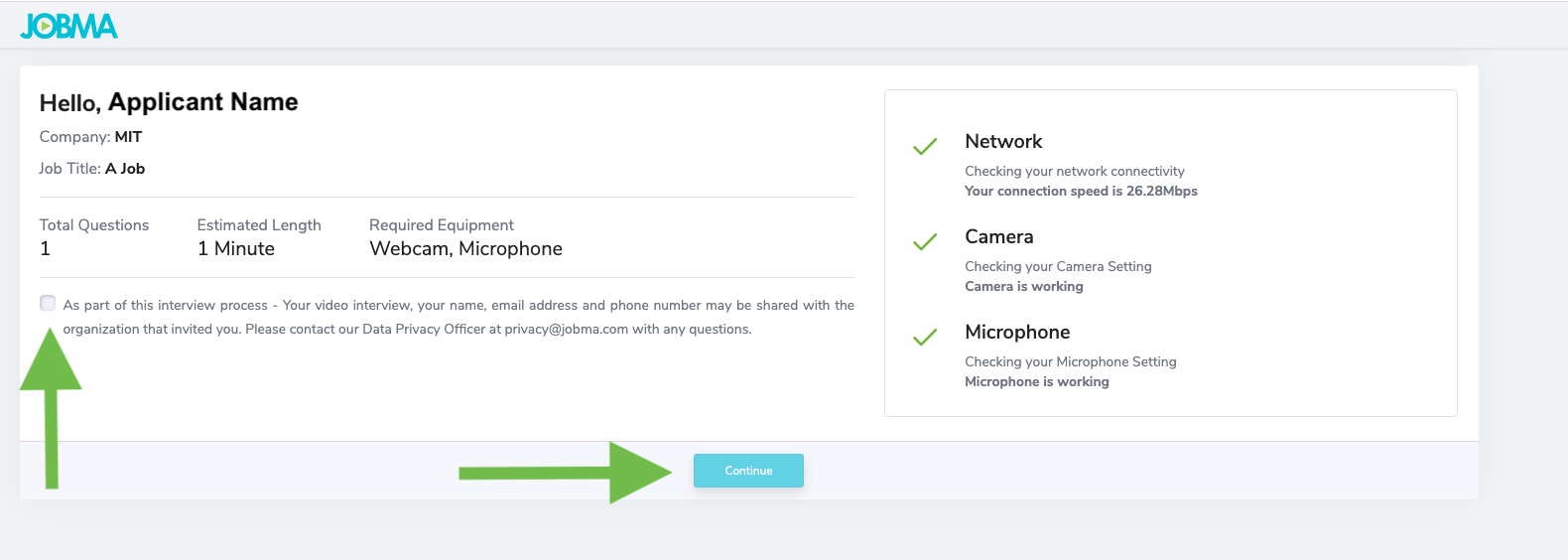
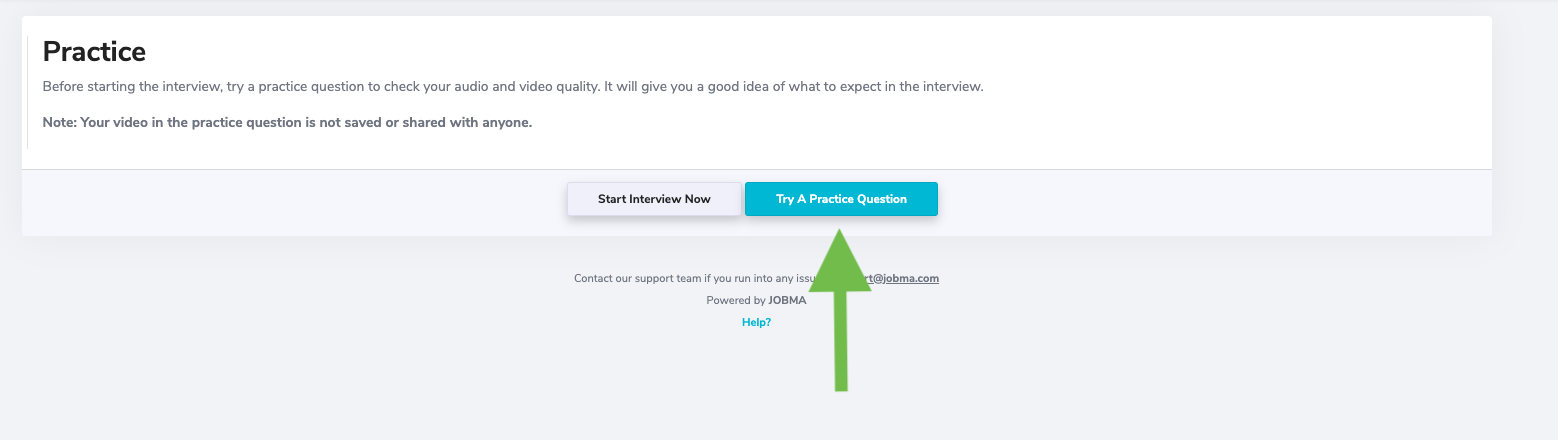
- You may take a practice interview by clicking “Try a Practice Question”
- When you’re ready, you can click “Skip” at the bottom of the Practice Video page, to move on to your interview.

- You will see this instructions screen; be sure you understand the instructions. You will have only one opportunity to record your video interview.
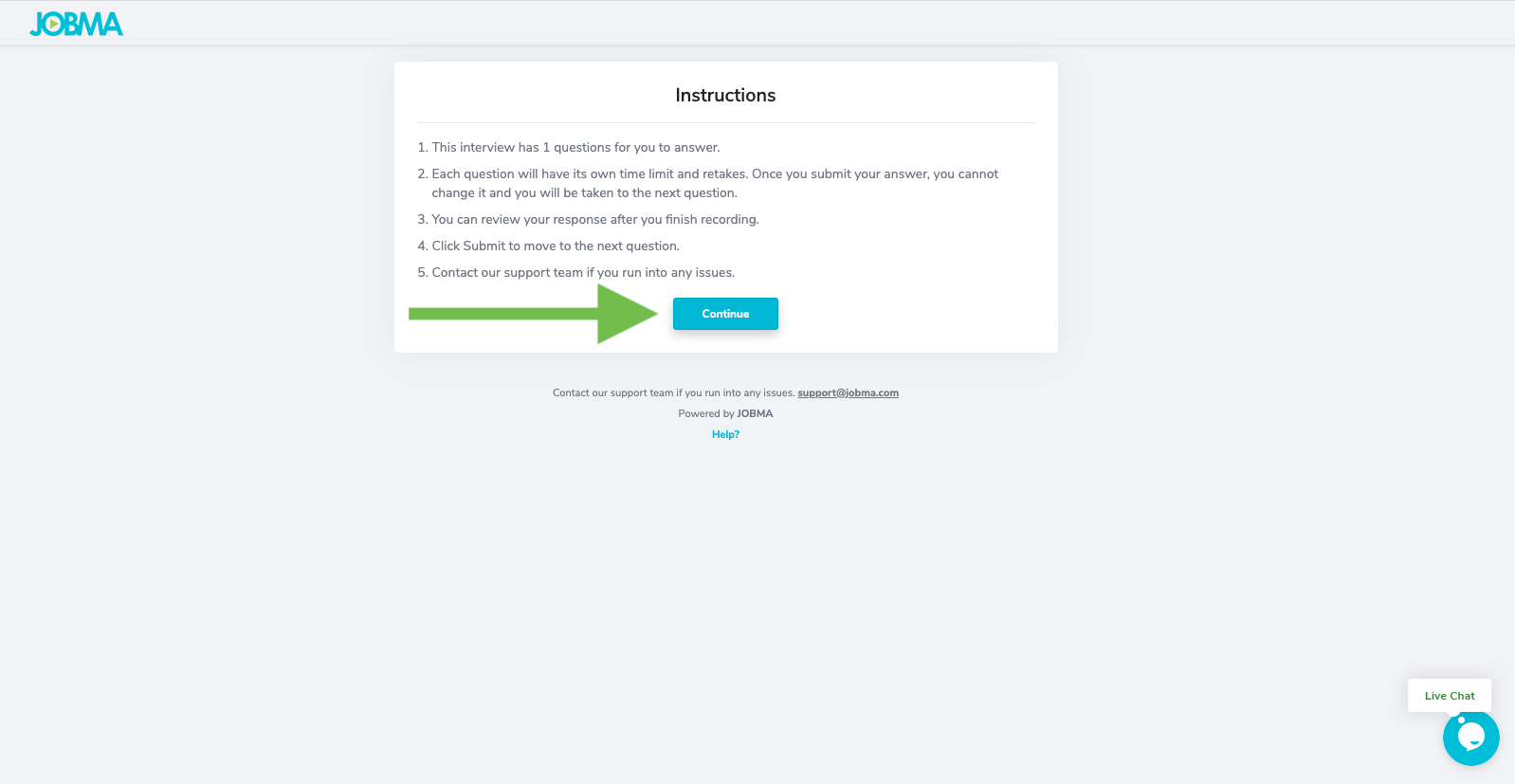
- Click "Continue" to begin your video interview.
- When you begin the interview, your first interview question will appear within a white bar located under your image on the screen. You will be given 1 minute to think about your answer to this question. You will see a timer counting down. When your 1 minute to think has ended, you will be informed that your interview will begin and given a countdown of 3 seconds. Then your interview will start recording. You will have 2 minutes to give your answer to the question.
- After 2 minutes, your video will automatically stop recording and the next question will appear. There will be ten questions and for each question, you will have one minute to think about your answer and two minutes to answer.
- When your interview has ended, your video will upload. You may see this screen for a few moments:
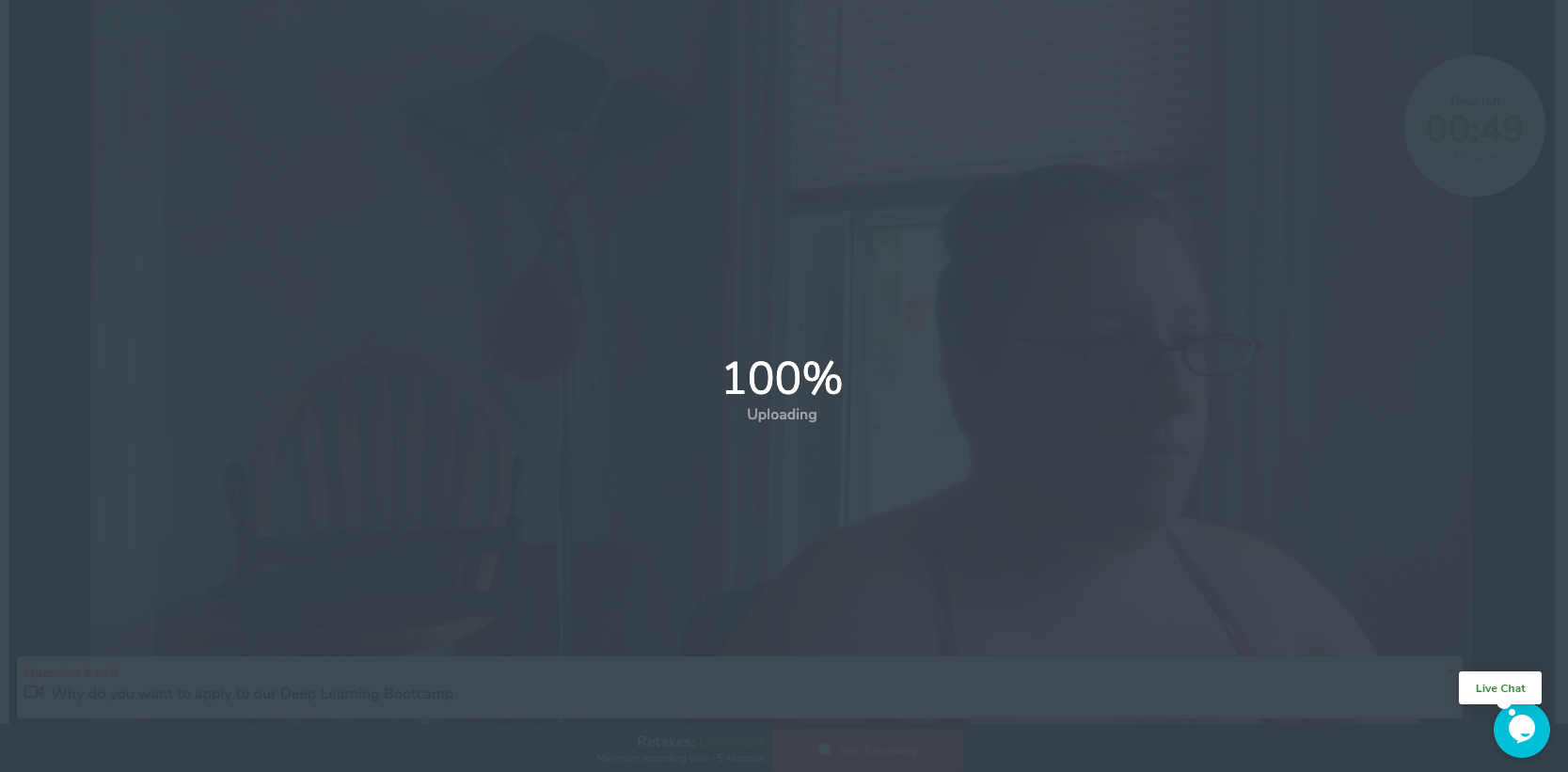
- You will be returned to the video recording page. Click “Submit” at the bottom of the video recording page. This will submit your entire application including your resume and/or LinkedIn profile link and profile information.
- You will then see the following page, where you may offer feedback on the interview process:
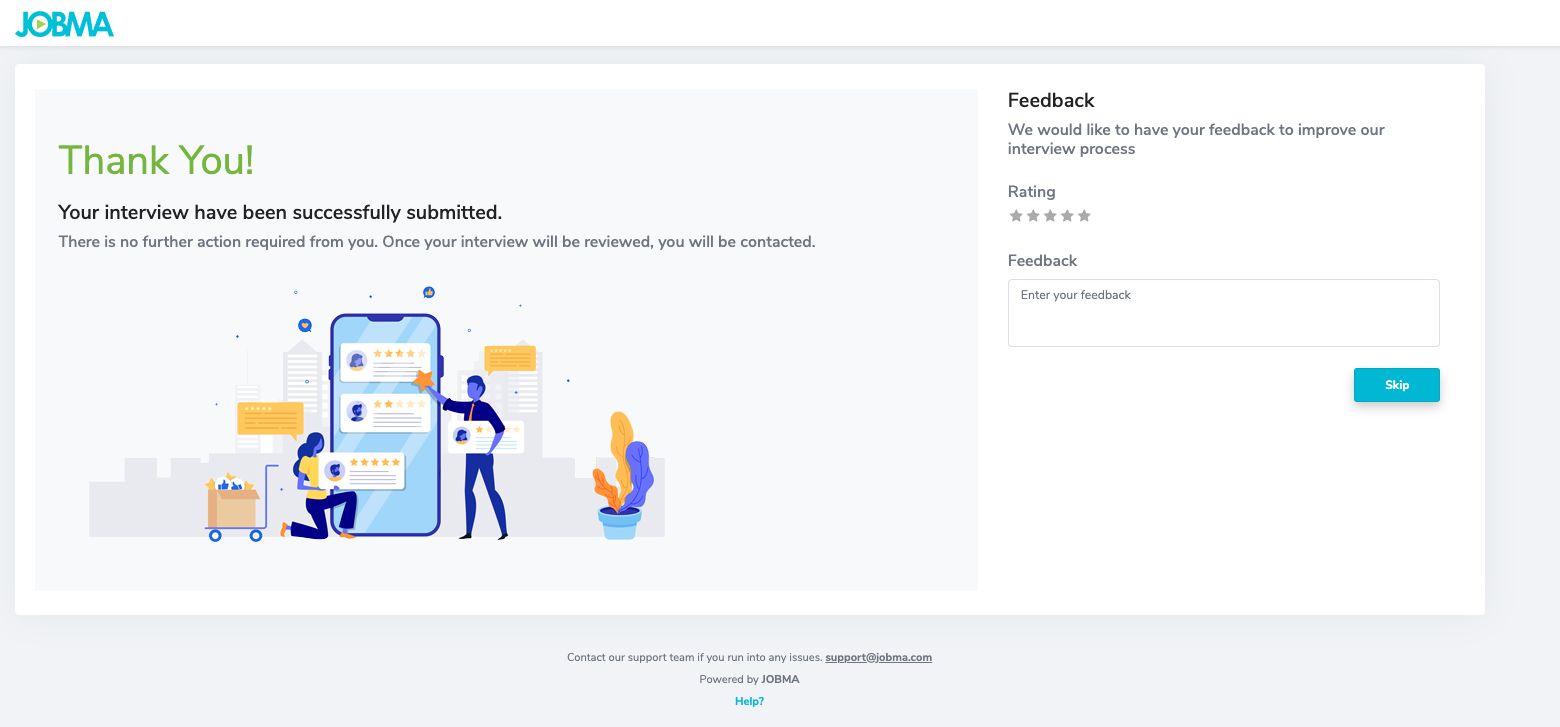 After you have completed all of these steps, you may return to the Bootcamps Application Site to complete applications for new programs and review your past applications at any time.
Comments
0 comments
Article is closed for comments.