
There may be multiple reasons why the link to your LinkedIn profile is not accepted, but in almost all cases, we find that one of the following is the problem:
Link Formatting Issue
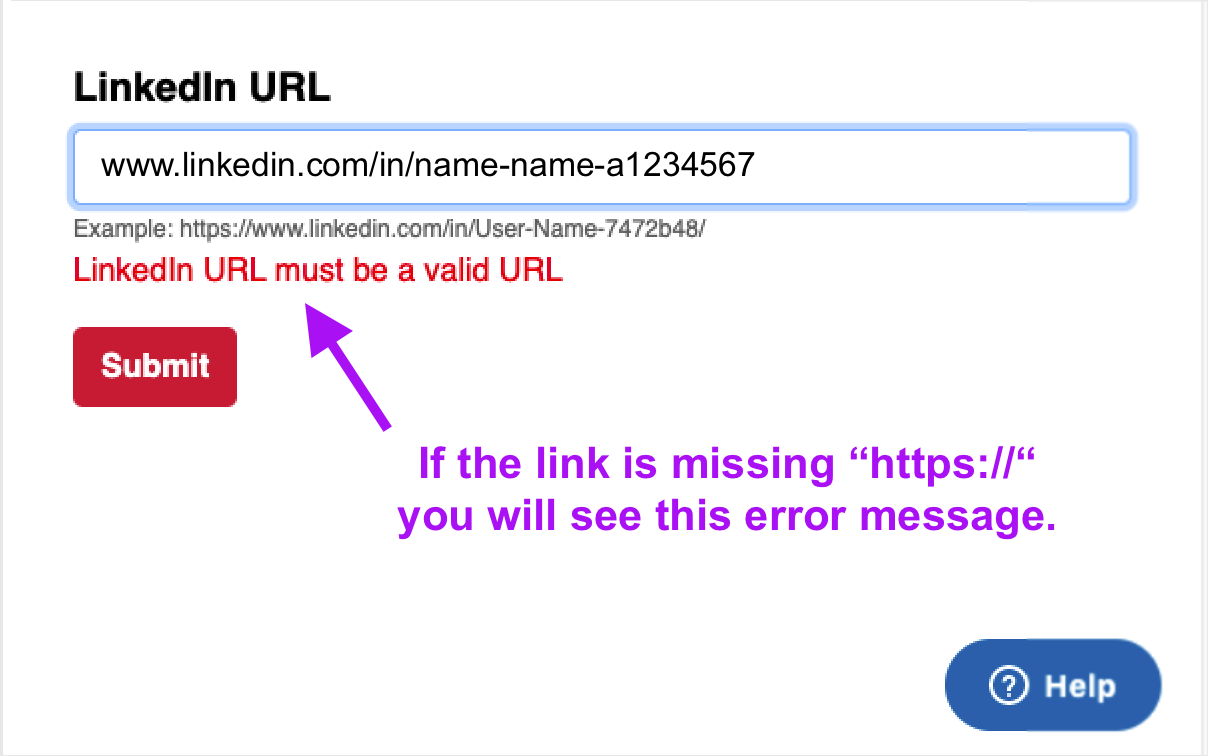
The error message "LinkedIn URL must be a valid URL" indicates that your link does not include all the necessary components for the system to recognize it as a valid URL.
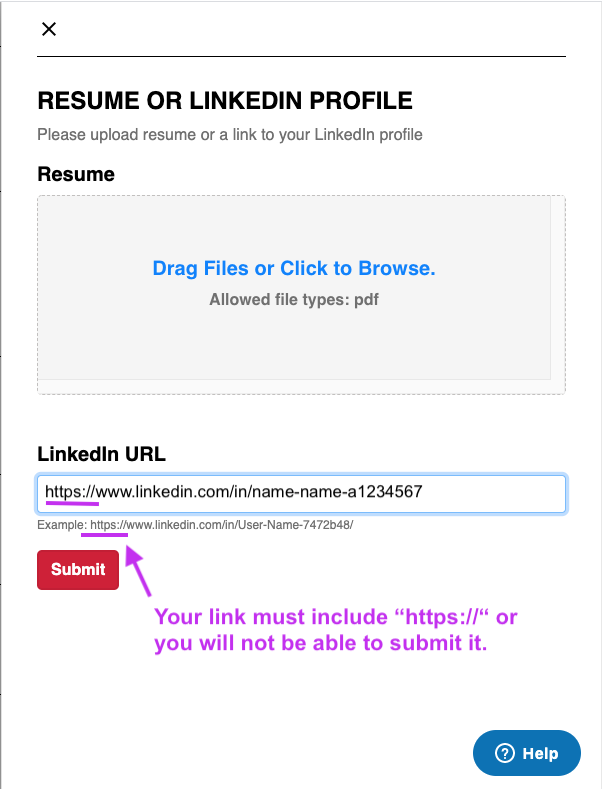
You may be seeing this error message because your link may not have "https://" at the beginning. If you do not include "https://" with your link URL, please add it and try to submit it again. Please also ensure that there are no spaces at the beginning of your link. This will cause the same error message.
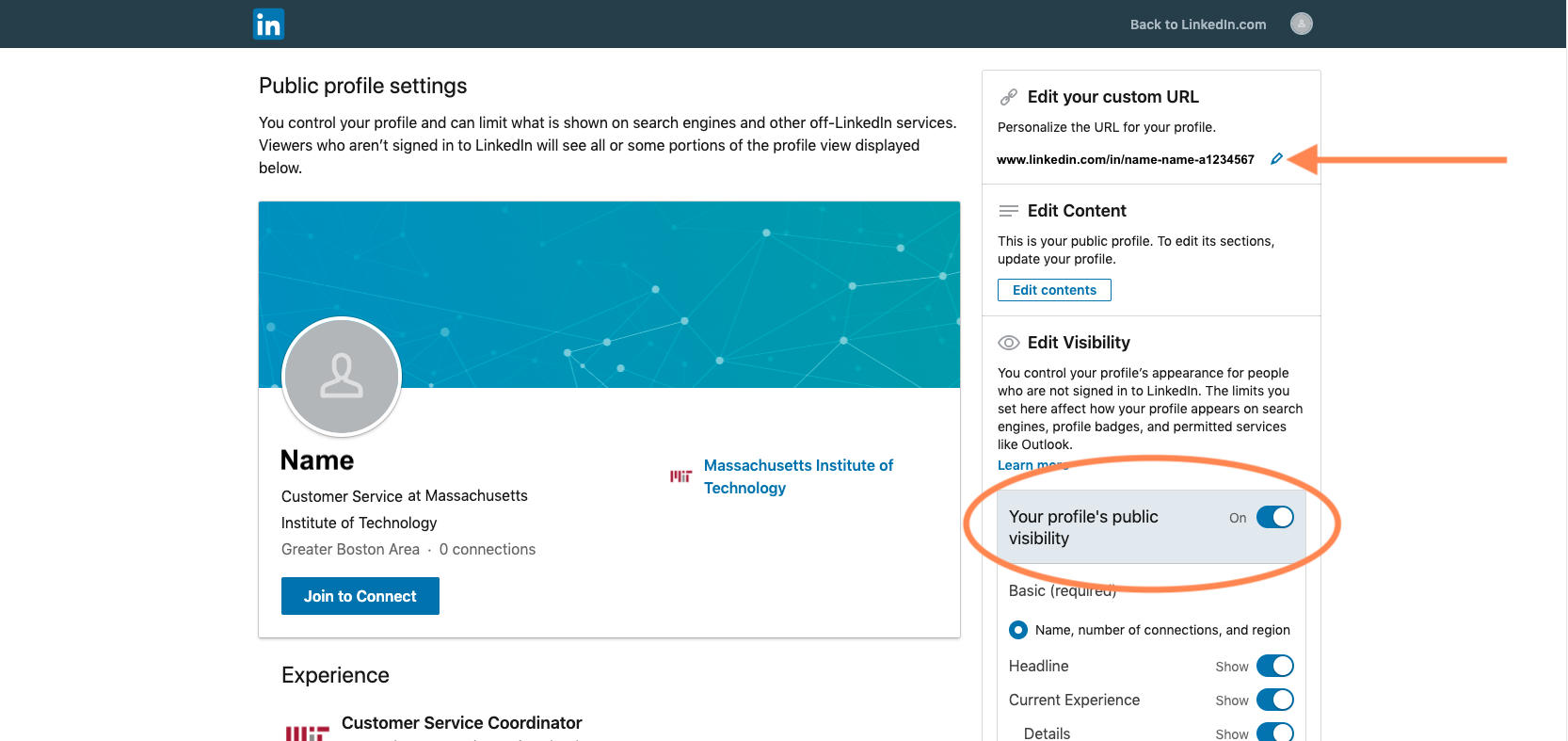
You can find your LinkedIn profile URL at the top of the LinkedIn Profile Settings page and in your browser's address bar when viewing your profile. Copy your profile URL and paste it into the appropriate field in your Bootcamp Application.
Sharing Settings Issue
Please also be sure to enable public visibility for your LinkedIn so that the Bootcamps team can see your profile to review it. Navigate to your LinkedIn Profile Settings page to enable public visibility for your profile. You can also copy your profile URL from this location.
Navigate to your LinkedIn Profile Settings page to enable public visibility for your profile. You can also copy your profile URL from this location.
Navigate to your Bootcamps Application page and expand the info box of the Bootcamps program you are applying to. Under the "Resume or LinkedIn Profile" section, click the "Add Resume or LinkedIn Profile" link and enter your profile URL—be sure to add "https://" to the beginning if it is not done automatically.
If you do not include "https://" with your LinkedIn URL, you will receive an error message stating: "LinkedIn URL must be a valid URL".
If you have followed all of these steps, but you are still unable to submit your link, please reach out to us at bootcamp-support@mit.edu and we will assist you further.
Comments
0 comments
Article is closed for comments.